Stocktaking for Trade Businesses: Checklist, Process and GoBD Guidance from the Field
Stocktaking guide for trade businesses: process fixes for stock discrepancies, practical count sheets and GoBD tips so your target and actual figures finally align.
Fix the date, counting freeze, warehouse zones and responsible persons in advance.
Use a count sheet in the warehouse with item, quantity, unit, location, condition, date and counter.
Separate the valuation in the office: unit value, total value and valuation basis do not belong on the count sheet.
Excel helps with recording, but it does not replace traceable documentation, a change history and clean archiving.
Start with one warehouse zone and first check whether your current template cleanly covers stocktake date, type, quantity, unit and value.
Stocktaking. For most tradespeople that sounds like punishment (standing in a cold warehouse on a Saturday). But looked at analytically, the stocktake is the most important performance check for your business. If you do not know what is on the shelf, you cannot calculate profitably. Full stop.
Editorial note: This article gives general guidance on the practical organisation of a stocktake in a trade business. It does not replace legal, tax or accounting advice. Which stocktaking, documentation and record-keeping obligations apply to your business, and which simplified methods are permissible, should be checked on a case-by-case basis with your tax adviser or accountant.
Why stocktaking in a trade business is often painful and how to do it better
Trades work is about serving the customer, of course. But your warehouse is your capital. Running it "by feel" burns money. The problem is not the counting itself, but the lack of a system behind it.
Why Excel and paper lists are time-wasters in stocktaking
Paper lists and spreadsheets are inefficient because they invite manual transcription errors and slow the work down through double data entry. Every manual handover point is a risk. Recording must simultaneously mean data availability, otherwise you are counting twice.
When stocktaking and documentation are relevant for trade businesses
For businesses subject to commercial bookkeeping obligations, maintaining an inventory and stock documentation is generally required. Which requirements, proof obligations and permitted simplifications apply in a specific business depends on the individual case. The key entry points for this article include § 240 HGB on the inventory, § 241 HGB on the simplification procedures, § 140 AO and the GoBD as amended on 14 July 2025. Legal status checked on 2026-04-27.
Stocktaking step by step (checklist + schedule)
Quick checklist to tick off on stocktake day:
[ ] Date, counting freeze and responsible persons confirmed
[ ] Count teams assigned (caller + recorder)
[ ] Third-party material and special cases labelled
[ ] Warehouse tidied, zones and count path defined
[ ] A-items counted exactly, C-parts recorded with simplified method
[ ] Vehicles and off-site storage checked
[ ] Expensive items cross-checked by a second person
[ ] Sheets numbered, signed and saved as PDF
1) Set the date, ground rules and count teams
Fix the stocktake date (e.g. last working day of the month or before the year-end close).
Counting freeze: a time window in which nothing is withdrawn or put away.
Appoint one responsible person (one contact, not "everyone sort of").
Assign count teams: two people per team is standard. One counts/measures ("caller"), the other logs ("recorder"). This minimises transcription errors.
Label third-party material or already-invoiced goods in advance.
2) Prepare the warehouse
Goal: You want to count in a single pass without jumping back and forth.
Sketch the warehouse zones (shelves A to Z, back rooms, off-site storage), so no zone is missed and you have a clear count path.
Group identical items together, move opened cartons to the front.
Mark special cases: third-party material, consignment goods, returns.
Make storage locations visible (zone, rack, bay). If you have no system yet, start with the Z-R-E-F schema.
3) Build an auditable template
You do not need a perfect list, but an auditable one. The practical rule for this article: a well-structured sheet is more defensible than a loose scrap of paper.
A defensible list separates three blocks:
Header: company, warehouse area, date of the physical count, recording date, page number
Count table: pos., article, amount, measuring unit, bin, state, note
Sign-off block: recorded by, checked by, signature, remarks
Field
Why it matters
Pos. no.
Sequential numbering ensures completeness, no gaps.
Item description / SKU
Unambiguous identification (item number helps with duplicates).
Quantity + unit
"10" is meaningless without "pcs", "m", "kg" or "pack".
Location (zone/rack/bay)
Allows later verification without searching (Z-R-E-F principle).
Belongs at the latest in the valuation sheet for commercial processing.
Practical tip: Split the paperwork. One recording list goes into the warehouse (no prices, so counters are not influenced by value). A separate valuation sheet stays in the office (unit price, line total and valuation method).
4) Count with ABC prioritisation
Not every item deserves the same counting precision. ABC analysis prioritises by value:
A-items (high value): copper pipes, expensive fittings, inverters, specialist tools, every single piece counts here.
C-items (small parts): plugs, washers, seals, full pack = standard quantity, opened = estimate and note.
Use the appropriate method for the material type: count unit goods, measure goods by the metre, estimate bulk or residual quantities, weigh goods by weight where needed.
Result: you save time by focusing first on the items with the highest value or the greatest risk of stock-out. Do not forget vehicles, a van is often a second warehouse.
Flag outliers (e.g. 0 pcs for an item you use every week).
Number sheets sequentially and have the responsible persons countersign the recording.
Save as PDF (naming: Stocktake_YYYY-MM-DD_WarehouseArea.pdf).
The count sheet alone is not the whole stocktake. For many businesses, additional records are required alongside the physical count in the warehouse, for example for receivables, liabilities or fixed assets. This article keeps its focus on the practical goods and materials stocktake.
GoBD warning: why Excel alone is risky
The GoBD (Principles for the Proper Maintenance and Storage of Books, Records and Documents in Electronic Form) set high standards for traceability, archiving and immutability.
A simple Excel spreadsheet is generally not sufficient, because values can be changed or deleted afterwards without creating a reliable change history (GoBD para. 101/110). What matters is not just the file format, but whether tax-relevant records are stored in a traceable, immutable, or cleanly versioned, and audit-proof manner.
If you use Excel in the stocktake process, the finished list should not simply be left in a regular folder. Whether a PDF is sufficient in your specific setup depends on the subsequent archiving and documentation. For the concrete implementation, check with your accountant or tax adviser which method suits your business.
In practice, a system that documents count operations with a timestamp, user reference and traceable history is usually more robust.
Stocktake lists and supporting documents are tax-relevant records and must generally be retained for ten years (§ 147 AO). They should be stored so that they remain auditable and fully traceable years later.
The lever: stocktaking as a diagnostic tool for your profit
Most guides stop at the "obligation". But the real opportunity lies in analysing the data. The stocktake shows you not only what is there, but what has been there too long.
Dead stock management: liquidating tied-up capital on the shelf
Dead stock is material that has not been used for a long time and is tying up valuable liquidity in the warehouse. Every fitting that has been gathering dust for two years is dead capital that you are missing for new tools or marketing. System check: Identify slow-movers during the stocktake.
Consequence: clear out, run a clearance sale or allocate to specific projects.
Finding system errors: why target and actual figures never match
When the numbers do not add up, the stocktake is not to blame, the process before it is.
Goods receipt not posted: material arrives, goes on the shelf, but never appears in the system.
Withdrawal without documentation: the classic. "I'll just grab that fitting" = system gap.
Breakage and offcuts: undocumented waste distorts the balance.
The "job site stocktake": recording work in progress
In the trades, capital often sits not in the warehouse but on the job site. Projects still running at the balance sheet date must be recorded as work in progress (WIP) at production costs under § 255 HGB.
What this includes: material already delivered but not yet installed on site, plus the labour hours logged up to the balance sheet date.
Why it matters: if you have already incurred the costs for material and labour but have not yet issued a final invoice, you would show an "artificial loss" in your accounts without this entry.
Practical tip: Create a simple list per project: [Project ID] | [Material value on site] | [Actual hours total]. Photos of the job site on the balance sheet date serve as valuable evidence for the tax authorities.
Making stocktaking faster: digital stocktaking instead of manual work
Pen and paper works too. The catch is: you create a second data entry step (count → retype) and with it a classic source of errors.
What does a stocktaking app bring to a trade business?
A stocktaking app enables mobile data capture directly at the shelf and reduces transcription errors because you do not type numbers in later. The smartphone today is a tool, just like the cordless drill. Whoever captures digitally saves the trip to the PC and reduces the risk of transposed figures.
Stocktaking with barcodes: saving time on consumables
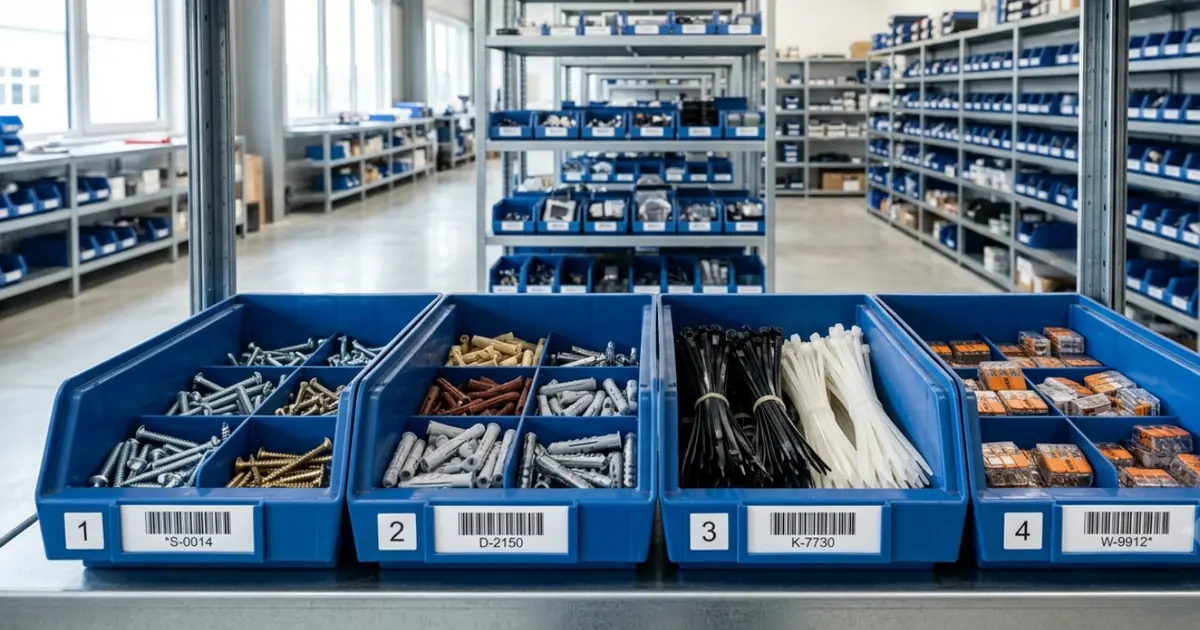
Barcode stocktaking speeds up the count because items are identified unambiguously by scan and you type less. This reduces input errors especially for small parts (seals, fittings).
Perpetual inventory: why you only need to count properly once
The lever for real relief is the perpetual inventory. Instead of climbing the annual mountain once a year, you spread the effort over 365 days.
Perpetual or intra-year inventory methods can reduce the organisational burden if your processes and documentation are suited to them. Whether a simplified method is permissible and practical for your business should be checked on a case-by-case basis. For this article the practical rule suffices: more small checks often deliver higher data quality than one big year-end sprint.
In practice, alongside the classic balance-sheet-date stocktake, timely, shifted or perpetual methods are also relevant. Which variant fits depends above all on how cleanly you document stock movements and how well the process fits into your daily operations.
Which items this article does not cover in the goods and materials stocktake
This section relates to the practical goods and materials stocktake in the warehouse. It does not replace a complete commercial or tax-law classification of your entire business inventory.
Consignment or third-party goods: clearly label in the warehouse process and handle separately. Whether and how they must be documented in a specific case depends on ownership, contractual arrangement and booking.
Already-invoiced material: consider separately in the stock review. Whether it is still attributable to your own inventory at the relevant balance sheet date should be checked on a case-by-case basis against the contractual, delivery and booking situation.
Tools and machinery: not part of the goods and materials stocktake described here. How they are to be included in the inventory or annual accounts must be reviewed separately.
Private material: keep cleanly separate from business stock so the warehouse count remains traceable.
Stocktake template download (Excel & PDF)
To make it easier to get started, we have created a printable stocktake template that separates the warehouse count from the commercial valuation.
The PDF template fits on a single page for the warehouse floor:
Header: company name, warehouse/area field, date of the physical count, recording date, page number
Sign-off block: recorded by, checked by, start/end time, signature(s), remarks
The Excel template adds a second worksheet as a valuation sheet (unit price, line total and valuation method) for further processing in the office or with your tax adviser.
These templates are a good first step towards bringing order to your warehouse. They do not replace individual tax advice, but they do create a significantly more robust basis for stocktaking, valuation and later queries.
Conclusion: less admin, more craft
Stocktaking in the trades is systems work. When you understand it as a diagnostic instrument for your profitability, it loses its dread. Use digital tools, apply the 80/20 principle and keep practical warehouse organisation cleanly separate from legal and documentation questions in each individual case.
FAQ: Stocktaking for Trade Businesses
For businesses subject to commercial bookkeeping obligations, maintaining an inventory and stock documentation is generally required. Which specific requirements and permitted simplifications apply to your business should be checked on a case-by-case basis against § 240 HGB, § 241 HGB, § 140 AO and the GoBD.
Not automatically. As a registered sole trader (e.K.), § 240 HGB applies, which means a stocktake is mandatory. Small business owners and freelancers who only prepare an income-surplus calculation (EÜR) are not obliged to carry out a physical stocktake. In addition, § 141 AO applies above certain turnover or profit thresholds. If in doubt, check with your tax adviser.
The three standard methods under HGB: balance-sheet-date stocktaking (count on or near the balance sheet date), shifted stocktaking (count up to 3 months before or 2 months after the balance sheet date with carry-forward adjustments), and perpetual inventory (ongoing recording throughout the year, no balance-sheet-date count required). Which method is permissible for your business depends on your bookkeeping and documentation setup.
For a reliable template you need at minimum the stocktake date, item description or item number, quantity, unit and a clear valuation basis. In practice, location, condition, responsible persons and a separate valuation block are usually added as well.
The count sheet contains only quantities and locations for the warehouse team. The valuation sheet adds unit costs (acquisition costs) and total value per line item in the office for accounting purposes.
In many cases yes, provided the process is properly documented. The key is traceability: who recorded what, when, and can data not be silently changed afterwards. What matters is that the implementation fits your documentation and the GoBD requirements of your business.
You count everything that belongs to current assets on the cut-off date and is in your possession: raw materials, consumables and operating supplies, work in progress and finished goods, plus merchandise, whether stored in the main warehouse, in an outdoor yard, in service vans or in workshop trolleys. Opened packages are counted with their remaining quantity. Your own material on an active job site is included as long as it has not already been invoiced to the customer. Items recorded as fixed assets (tools, machinery, vehicles) and consignment goods owned by third parties are kept separate and are not part of the materials stocktake.
This article focuses on the practical stocktake of goods and materials in the warehouse. Special cases such as consignment goods, already-invoiced material, tools or machinery should be handled separately in the warehouse process and reviewed individually for their legal classification.
Stocktaking is a result of your day-to-day processes. When goods receipts, withdrawals, offcuts and returns are posted cleanly, stocktaking becomes quick and discrepancies become rare.