Inventory Management: What It Is, How It Works, and When Excel Falls Short
Inventory management explained: definition, core tasks, methods and an honest comparison of Excel vs. dedicated software. For small businesses that want to stay in control.
Inventory management = systematic recording of all stock levels, movements, and values.
Core tasks: post receipts/issues, monitor minimum stock, run stocktaking, trigger reorders
Excel/Sheets: solve the multi-user problem, but not the core problem. No automation, no validation, no posting log
Inventory management vs. inventory control: management = full system, control = book vs. physical reconciliation only
Next step: if you want more than documentation (alerts, automatic reordering), read the Excel-vs-software comparison below
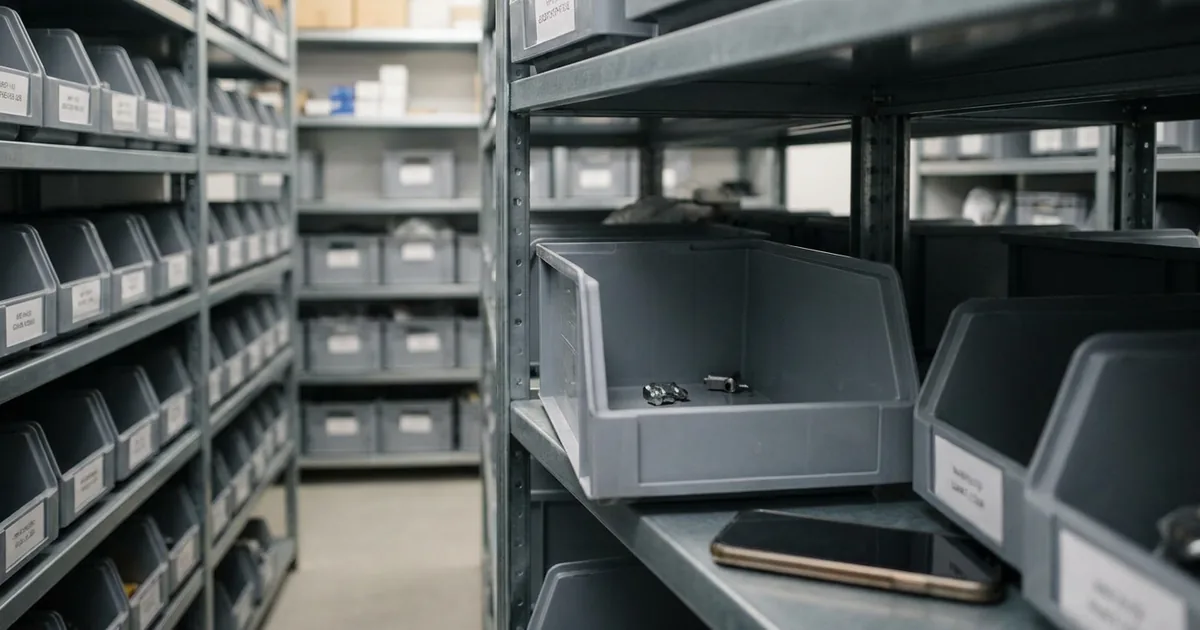
During my studies, I picked orders in the IKEA warehouse. Take the order, walk to the storage location, pick, bring it back. If the item wasn't at picking height (E00, E01), pull out the handheld device, search for an alternative location, relocate, replenish. And if someone hadn't booked a relocation properly, you were standing in the aisle searching. The customer with their collection number was waiting at the counter.
That sounds dramatic. But it happens daily in small businesses: in workshops, small production facilities, service companies. Not because people are careless, but because inventory management is often perceived as bureaucracy rather than a control instrument.
What does inventory management mean?
Inventory management is the systematic recording, administration and control of all materials, goods and products that a business stores. It documents at any given point: What is available? Where is it stored? How much has been withdrawn, how much has arrived? And when does reordering need to happen?
This definition sounds simple, and the basic principle is. The difficulty lies in consistency. Inventory management only works when it is complete. One gap is enough, and the overview is gone.
In practice, there are two forms:
Perpetual inventory management (also called continuous) Every movement is recorded immediately, every receipt, every issue. The book stock is always current. This is the standard in businesses with regular material throughput.
Periodic inventory management Stock levels are only recorded at specific points in time, for example during the annual stocktake. Between two stocktakes, the current stock level is not precisely known. For many small businesses, this is still the lived reality. But it is also the riskier approach.
Tasks of inventory management: What actually needs doing
Core tasks include: documenting stock, recording receipts and issues, defining stock limits, conducting stocktakes, analyzing demand and minimizing risks such as obsolescence or spoilage. This is not a one-off project but an ongoing process. If you don't cover one of the following blocks, you have a gap in the system.
Documentation & Recording Every goods receipt, every withdrawal, every transfer: you record everything immediately. Match delivery notes against orders, book withdrawals, document incorrect deliveries. In practice, this increasingly happens via barcode scanning or RFID rather than handwritten notes. Sounds trivial. But as soon as you skip a booking, your book stock is fiction.
Stock Control & Monitoring Does what the system shows match what's actually on the shelf? You check this continuously. This also includes: identifying spoilage, reporting damage, documenting depreciation. The longer a discrepancy goes undetected, the more expensive the correction becomes.
Stocktaking & Valuation German commercial law (HGB § 240) requires at least one annual stocktake for the financial statements. Common forms are fixed-date stocktake (count everything on one day), shifted stocktake (within a window around the balance sheet date), perpetual stocktake (spread continuously across the year) and sampling stocktake (§ 241 para. 1 HGB, based on recognized mathematical-statistical methods). Goal: reconcile book stock against physical stock and correctly value your inventory assets.
Setting Stock Limits Three key figures control your material flow:
Parameter
Function
Example
Maximum stock
Upper limit: ordering more ties up capital unnecessarily
100 units
Reorder point
Trigger for reorders; when breached = order
30 units
Safety stock
Buffer for delivery delays or demand spikes
10 units
Without these limits, you're making purchasing decisions blind.
Demand Analysis & Planning How much of which item do you need in the coming weeks? You analyze historical consumption data, seasonal patterns, current order situation and derive order quantities and timing from that. Goal: neither shortage nor overstock.
Risk Minimization Every item sitting in storage loses value. Through obsolescence, spoilage, or simply through tied-up capital that you're missing elsewhere. Keeping an eye on storage duration and turnover rate helps identify slow movers early.
Methods: ABC and XYZ Analysis
Not every item deserves the same planning effort. Two methods help with prioritization:
The ABC analysis classifies by value share: A-items often account for 80% of consumption value while representing only 15 to 20% of line items. Precise planning pays off here.
The XYZ analysis adds predictability to the picture: X-items = constant consumption, easy to plan. Z-items = strong fluctuations, hard to forecast.
Combined, this creates a matrix:
X (constant)
Y (fluctuating)
Z (irregular)
A (high value)
Precise disposition, tight reorder points
Careful planning, moderate buffer
High value + hard to plan = highest risk
B (medium value)
Standard planning sufficient
Review regularly
Increase safety stock
C (low value)
Generous reorder point
Batch ordering
No major planning effort needed
Withdrawal Methods: FIFO, LIFO, FEFO
Beyond classification, the withdrawal sequence matters. FIFO (First In, First Out) means: what was stored first gets withdrawn first. Prevents aging. LIFO (Last In, First Out) withdraws the newest first, useful for non-perishable bulk goods. FEFO (First Expired, First Out) prioritizes by expiry date and is often the right approach for perishable materials, batch-tracked goods or items with a use-by date. Which method fits depends on the material. For most trade businesses, FIFO is the standard.
Can Excel work as inventory management?
Yes. And for many small businesses, it's a valid starting point.
A well-maintained spreadsheet with receipts, issues and current stock covers the basic function. Many people use simple inventory management Excel templates that do exactly this. Sharing the file via Microsoft 365 (SharePoint) or Google Sheets gives multiple people real-time access simultaneously. Version conflicts that were a real problem with local files are solved.
What spreadsheets do well:
Flexible, no setup, immediately usable
With cloud sharing: multiple users simultaneously, no overwrites
Simple formulas for sums, averages, conditional formatting
No subscription, no vendor lock-in
Where spreadsheets hit structural limits:
No business logic A spreadsheet doesn't trigger reorder suggestions. It doesn't send notifications when an item falls below the reorder point. You have to check every item manually. That's exactly where the gaps emerge.
No audit trail Who changed which cell, when? Cloud spreadsheets offer version history, but not a real transaction log. An overwritten formula often only surfaces when stock numbers no longer match.
No validation Any cell can be overwritten with any value. No required fields, no plausibility checks. A typo in quantity (100 instead of 10) goes unnoticed until a stocktake reveals a discrepancy.
No integration Barcode scanners, supplier systems, automatic goods receipt booking: none of this can meaningfully connect to a spreadsheet.
Error-prone at scale Field studies by the University of Hawaii and EuSpRiG show that over 90 percent of all audited corporate spreadsheets contain substantial errors. The more items, formulas and references, the more likely a structural error becomes.
Honest take: For a few dozen items, Excel can work. The question is whether the manual effort is worth it when ready-made solutions start at €25/month. Your hourly rate as a skilled professional is between €60 and €100. One hour of spreadsheet maintenance per month costs you more than any subscription. And the smaller the business, the more expensive that hour is: there's no back-office person to take it off your plate. Do the math.
What does inventory management software do differently?
Dedicated inventory management software adds what spreadsheets cannot provide: business logic, automation and a complete audit trail.
What software specifically does differently:
1. Barcode scanning instead of typing A scan takes less than a second. Error rates drop from around 5% (manual entry) to below 0.1%. No typos in item numbers, no mix-ups between similar items.
2. Complete booking history Every movement is logged with timestamp, user and quantity. Not overwritable, not deletable. When a stocktake reveals a discrepancy, you can see in seconds when and where it occurred.
3. Automatic alerts and actions The system reacts when stock falls below the reorder point. Either as a notification or as an automatic reorder. You no longer check manually. The system acts.
4. Role-based access The warehouse worker books receipts and issues. Purchasing sees reorder suggestions. The manager sees reports. Everyone gets exactly the permissions they need. No "anyone can overwrite anything" like in a shared spreadsheet.
5. Scaling without breaking 50 items or 5,000, one warehouse or five: the workflow stays the same. In Excel, every new location doubles the complexity. In software, you add a new storage location and keep working.
Taken together, the five points make a stock level that updates in real time on every device, instead of being backfilled at the end of the day.
Stock control and inventory management: What's the difference?
The two terms are often used interchangeably, which is imprecise. Inventory management is the overall system: recording stock, documenting movements, calculating values, controlling reorders. Stock control is a part of it, namely the reconciliation between book stock and physical stock. Goal: identifying discrepancies, whether from shrinkage, booking errors or unrecorded withdrawals.
In practice: You keep daily records of receipts and issues (inventory management). Once a quarter you do spot checks and compare the numbers (stock control). The discrepancy found between book stock and actual stock is called a stock variance. Typical causes: unbooked withdrawals, shrinkage, counting errors or incorrect deliveries. Only when both come together is your stock picture reliable.
A good material management system supports both: ongoing management and periodic control. Ideally in a way that stocktaking doesn't require a business interruption.
Where is inventory management heading?
The basic principles remain the same, but the tools are changing. Automatic reorder points, barcode scans and data-driven demand forecasts are increasingly replacing manual checking. For small businesses, this means: getting started with digital inventory management is becoming easier, not more complicated.
Conclusion
Perpetual or periodic tracking, ABC classification or simple list, FIFO or FEFO, spreadsheet or software: the method is secondary. What matters is that every movement gets recorded, immediately and completely.
One missing entry is enough, and you're standing in the aisle searching. As long as every movement gets recorded reliably, a simple spreadsheet will do. The moment the first gap appears, you need a system that thinks ahead: monitors reorder points, validates bookings, and alerts you before the shortage hits.
Inventory management is the systematic recording, administration and control of all materials, goods and products within a business. It documents what is available, where it is stored and how much has been consumed or needs to be reordered. The goal is to maintain a reliable overview of stock levels at all times.
Core tasks include: recording goods receipts and issues, documenting current stock levels, monitoring minimum stock levels and triggering reorders on time. Regular stocktakes to verify book stock against physical stock and analyzing stock movements to identify overstocks and shortages are also essential.
Inventory management is the overarching process: it covers all activities around managing stock levels, from recording through valuation to reordering. Stock control is a subset. It specifically refers to reconciling the recorded book stock with the actual physical stock, checking for discrepancies caused by shrinkage, booking errors or unrecorded withdrawals.
Cloud spreadsheets (M365, Google Sheets) solve multi-user access and work well for small businesses with few items. The limit isn't simultaneous editing but the lack of automation: spreadsheets don't trigger reorder suggestions, have no audit trail and no validation. Once you need automatic reorder alerts, complete booking history or barcode integration, dedicated software is the next step.
Every goods receipt and every withdrawal is recorded immediately. This produces a running book stock. Reorder points trigger replenishment, regular stocktakes reconcile book stock against physical stock. The method (perpetual or periodic, manual or software-based) depends on item count and movement frequency.
Christoph worked as an electronics technician in industry for five years and saw how missing small parts slow down operations. Later, as a project manager at P.S. Cooperation GmbH (Böllhoff Group), he led system-supported C-parts logistics projects for mid-sized industrial and machine-building companies. Today, he is building repleno full-time, inventory management that helps small businesses detect demand early and automate reordering.