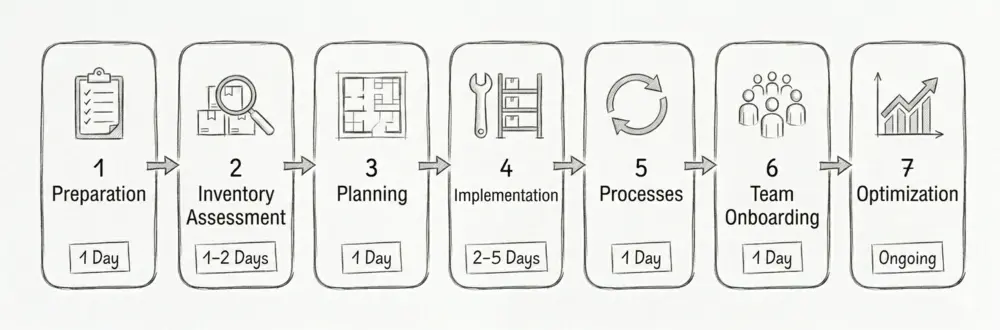
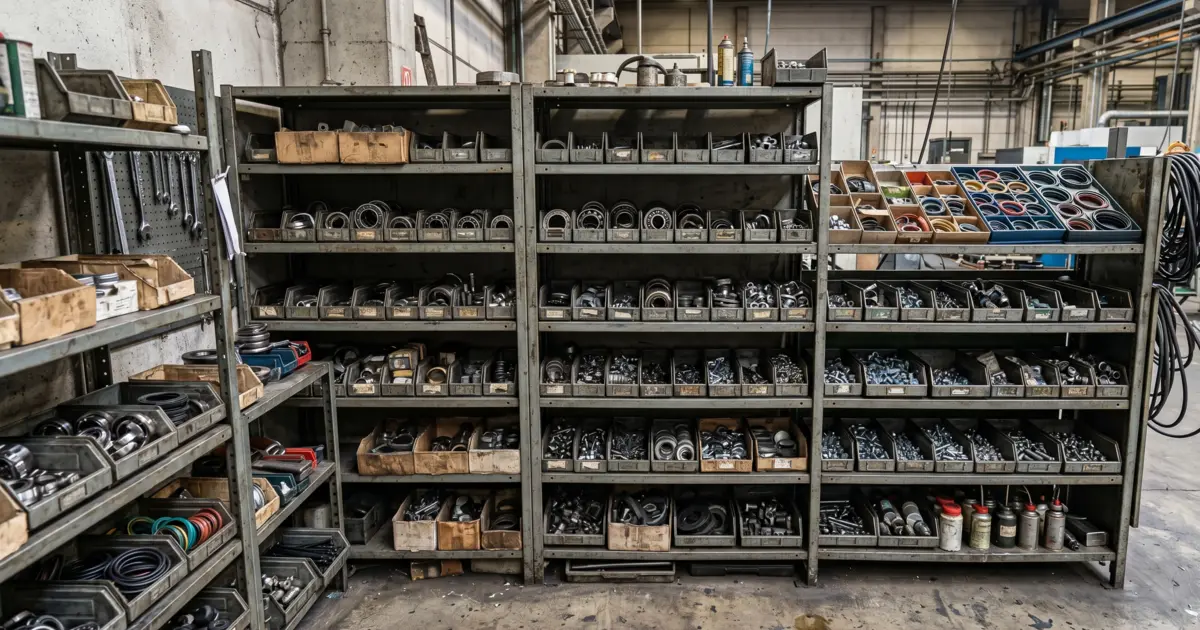
Trades businesses lose 2-3 hours per week to stockroom chaos. 60 % have no structured inventory management. One-time investment of 5-10 days; payback in under 5 months.
ABC analysis: A-items = 20 % of range, 80 % of movements. A-items at grab height (80-160 cm), C-items top shelf or at the back.
Reorder point formula: safety stock + (daily usage x lead time). Example circuit breaker B16: 10 + (5 x 3) = 25 units.
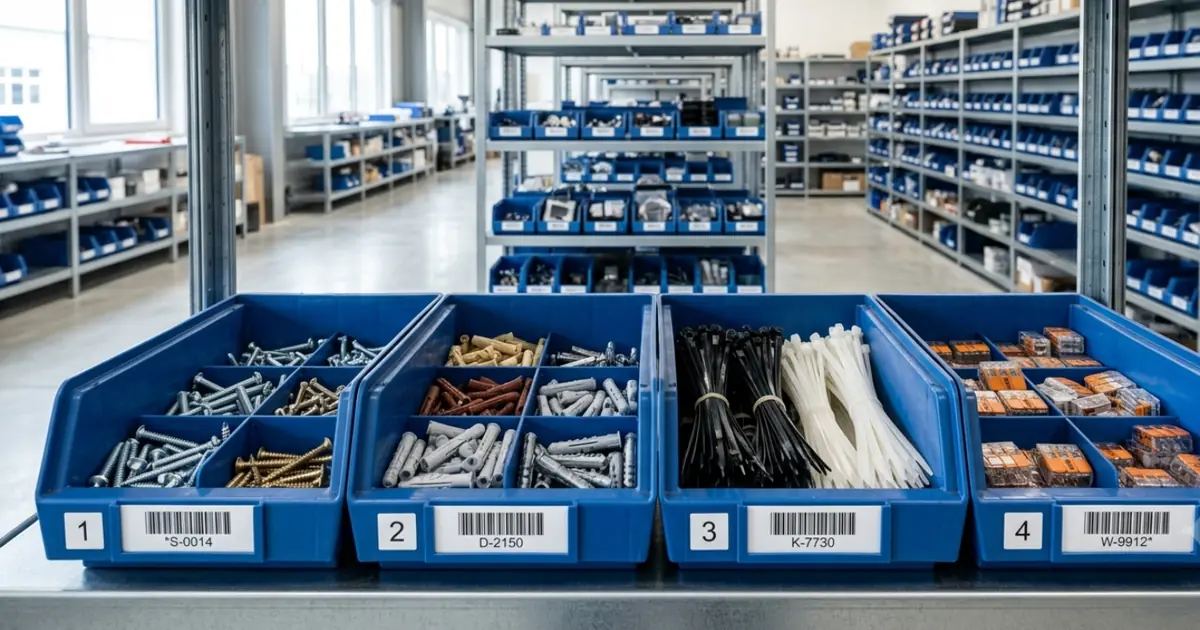
Two-bin Kanban: first bin empty = trigger order, keep picking from second bin. Best for C-parts (screws, plugs, cable ties).
Cost without a system: 3,000 to 8,000 EUR/year from wrong orders + duplicate orders + unplanned supply runs (ZDH data).
Giving away 2.5 hours per week?
Monday, 7:15 a.m. A rush job is waiting. but the required circuit breakers are nowhere to be found. 20 minutes of searching, annoyed teammates, deadline pressure. According to the IHK Nord Westfalen, trades businesses lose an average of 2-3 hours per week due to inefficient warehousing. That’s more than 120 hours per year.
According to the German Confederation of Skilled Crafts (ZDH), more than 60% of small trades businesses still operate without structured inventory management. Wrong orders, duplicate orders, and unnecessary trips to the wholesaler cost €3,000 to €8,000 per year on average. The BG BAU also flags the safety risk: chaotic storage areas create trip hazards and blocked escape routes.
What is stockroom organization?
Stockroom organization is the physical and procedural structure of a warehouse: fixed locations for each material, clear zones, unambiguous labeling, and defined processes for goods receipt, picking, and returns. It is the foundation of any inventory management, meaning the digital stock tracking in software or lists. Without physical order, every booking fails because the digital state no longer matches the real one.
Stockroom organization or stockroom optimization?
The two terms describe two phases. Stockroom organization is the one-time setup of the structure: defining zones, assigning fixed locations, labeling. Stockroom optimization is the ongoing fine-tuning afterward: shortening walking paths, adjusting stock to real consumption, moving A-items closer to the workbench, and clearing out dead stock. In the trades, optimization pays off especially with seasonal demand and a growing range of materials. Once you have organized your stockroom, the ideal is to readjust it once per quarter based on your own consumption figures.
What types of stockroom organization exist?
In practice, there are three basic forms. Fixed-location storage assigns every item a permanent place. It is the standard in smaller trades warehouses because team members memorize where things go and no software is required. Chaotic storage (also called dynamic storage) lets software assign the next free slot. It uses floor space more efficiently but requires every movement to be booked digitally. The hybrid model combines both: fast movers and safety stock on fixed locations, special items and large incoming deliveries handled dynamically. For most trades businesses, fixed-location storage with ABC zones is the right choice.
Core principles of stockroom organization
A stockroom system that actually works is built on three principles. regardless of trade or company size.
ABC analysis: fast movers vs. special items
ABC analysis segments your assortment by movement frequency. A-items (fast movers) are typically 20% of your items, but account for about 80% of movements. The Pareto principle helps you set the right priorities.
Category
Share of items
Share of movements
Best location
A-items (fast movers)
approx. 20%
approx. 80%
Grip height (80-160 cm), closest to workshop/exit
B-items (medium movers)
approx. 30%
approx. 15%
Mid shelf levels, central position
C-items (slow movers)
approx. 50%
approx. 5%
Upper/lower levels, peripheral areas
For an electrical business, A-items are often cables, circuit breakers and terminal blocks. For HVAC/plumbing, pipes, fittings and seals.
FIFO principle: first in, first out
FIFO means: older stock gets used before newer stock. This matters most for items with expiry dates like sealants, adhesives, and silicone. Implementation is simple: store new goods behind existing stock and always pick from the front. Write the receiving date on the packaging.
Fixed locations and clear labeling
Every item needs a defined bin location. The Z-R-E-F system (Zone, Rack, Level, Compartment) works well in many trades warehouses: a location like “L1-R3-E2-F5” clearly identifies zone L1, rack 3, level 2, compartment 5. How to label shelves properly: How to label your shelves correctly.
Structuring storage zones correctly
A zoning system is the backbone of stockroom organization. Divide your storage area into clearly separated zones.
Zone A: high-frequency area (fast movers)
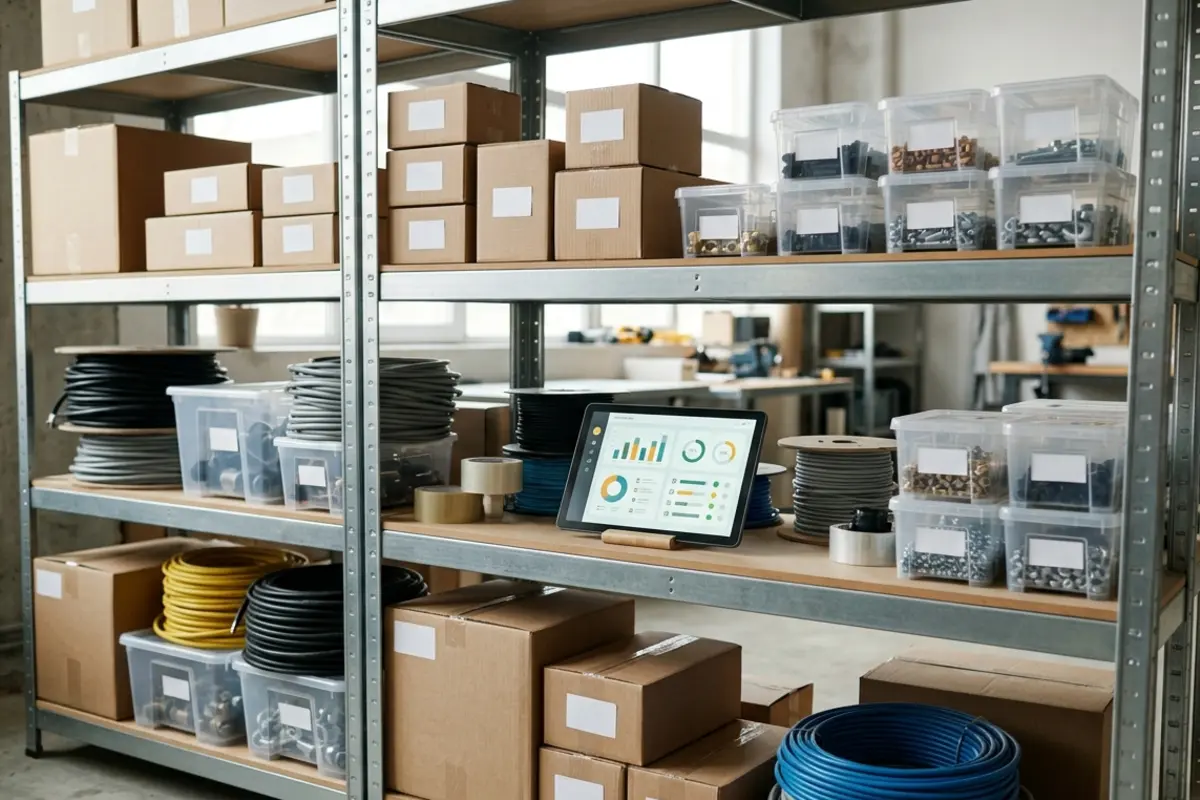
Consumables for daily jobs. Place at grip height and near the door. Examples: screws, cables, seals, pipes, connectors.
Zone B: medium-frequency area
Items needed weekly or monthly. Further inside the stockroom but still easy to reach. Examples: special tools, seasonal items, project-specific material.
Zone C: slow movers and special items
Rarely needed spare parts and special items. Can be stored higher or further back. Examples: spare parts for machines, custom-made items, reserve stock.
Additional areas:
Goods receipt zone: receiving and checking deliveries (see goods receipt section)
Picking/kit area: staging materials for jobs and projects
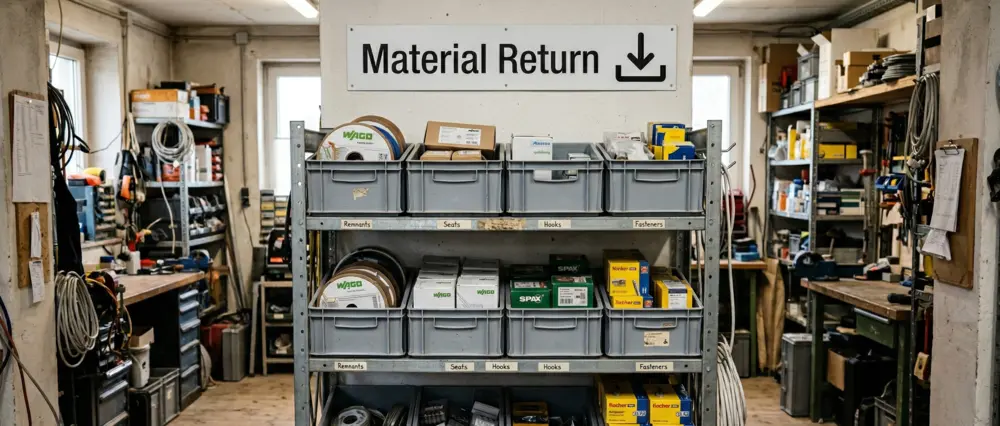
Drop zone: for crew material returns (see drop zone section)
Area X: unsorted material without a defined location yet (introduced during Ground Zero)
Always store heavy materials at the bottom (below 60 cm). Store hazardous materials separately, lockable, with drip trays/containment.
Min-max stock and reorder point
The reorder point is the quantity at which a replenishment order is triggered. Together with minimum and maximum stock, it’s the backbone of consistent inventory control.
Term
Definition
Example (circuit breaker B16)
Minimum stock (safety stock)
Buffer for unexpected additional demand
10 pcs
Reorder point
Trigger for reordering = minimum stock + consumption during lead time
25 pcs
Maximum stock
Upper limit (capital and space constraint)
100 pcs
Calculation: Reorder point = minimum stock + (daily usage × lead time in days). If you install 5 circuit breakers per day and lead time is 3 days: 10 + (5 × 3) = 25 pcs. Calculate your individual reorder point in seconds with the interactive calculator.
Kanban is a visual replenishment method that helps you reorder without complex software. For a step-by-step guide with practical examples, see: Kanban in a trades stockroom.
The two-bin system
The simplest Kanban setup: each item has two identical bins. Pick from the front bin. When it’s empty, move it behind the second (full) bin and trigger replenishment. When the delivery arrives, refill the empty bin.
What items work well with Kanban?
C-items with steady usage (screws, plugs, clips, cable ties)
Goods receipt is one of the most critical stockroom processes. Errors at intake ripple through the entire system.
Goods receipt in 3 steps
Step 1: Check the delivery. Compare delivery and packing slip: item, quantity, condition. Document damage immediately and file claims.
Step 2: Book the stock. Record delivered items in the system (app, scanner, or document scan). Without booking, your digital stock will never match reality.
Step 3: Put away goods. Every item goes to its defined location. Store new goods behind existing stock (FIFO). Dispose of packaging immediately to avoid clutter.
Picking/staging for projects
For larger jobs, a dedicated picking area helps: stage materials for the next day or project. That saves valuable minutes in the morning and reduces the risk of missing items.
Managing van inventory digitally
For many trades businesses, service vehicles are the “everyday stockroom”. Items are split between the van, the jobsite, and the main stockroom. The challenge: nobody knows what is where.
Treat vehicles as separate locations
Make each service vehicle its own storage location in your system (e.g. “Sprinter-01”, “Caddy-Meier”) and assign its own minimum stock levels. That way you see in real time what is stored in which vehicle.
Practical tips for van inventory:
Define a standard kit per vehicle (assortment + minimum quantities)
Set fixed places inside the vehicle (tool bag, material boxes, rack compartments)
Book withdrawals directly via smartphone app on the jobsite
Plan a weekly restock slot (e.g. Friday noon)
According to estimates from “Mittelstand-Digital Zentrum Handwerk”, service technicians spend 15-20 minutes per day searching for items in vehicles. more than 60 hours per year. A structured van inventory can reduce this to under 5 minutes per day.
Ground Zero: reorganize the stockroom from scratch
If the stockroom has grown organically for years and nobody can keep track anymore, “tidying up” won’t fix it. In that case, experienced storage specialists often recommend a Ground Zero reset: a full restart.
Why Ground Zero works
Half measures fail because old habits stay in place. With Ground Zero, you empty the entire stockroom and rebuild the system from the ground up. It’s radical. but it saves a lot of time long term.
Ground Zero in 3 steps
Step 1: Full reset. Empty the stockroom. Set up a container or staging area for scrap/obsolete items. Handle every item and decide: keep (active need), discard (broken/outdated), or clarify (Area X).
Step 2: Set up the new system. Define zones (A, B, C), set fixed locations, and label each bin location. Use the Z-R-E-F system for clear location codes.
Step 3: Establish rules. Pick only from defined locations. Return items to the same location. An empty bin triggers replenishment. Resolve Area X weekly (every item gets a location or gets discarded).
Time requirement: for 5-10 employees and ~500 items, plan one weekend (Saturday + Sunday) or two consecutive workdays. Businesses report 40-60% less search time within the first week after the reset.
Team structure and stockroom ownership
Even the best system fails without clear responsibilities. Who triggers replenishment? Who checks goods receipt? Who ensures order is maintained?
Area ownership: the team model (5-15 employees)
In small teams, a single stockroom owner often doesn’t have enough capacity. Area ownership works well: each employee becomes responsible for a zone or item group.
Example: employee A owns electrical items, employee B plumbing items, employee C consumables. Each owner keeps order, triggers replenishment, and performs cycle checks for their area.
Drop zone: frictionless material returns
A common problem: crew members return from a job site and put leftover material wherever. The next morning, someone else searches for those exact parts. The solution is a drop zone: a defined area in your stockroom where returns are simply placed. No sorting, no searching for the right bin. Drop, done.
This works at any team size:
Small teams (3-5 employees): The area owner or boss sorts the drop zone once a day or on Fridays. Takes 10-15 minutes.
Medium teams (5-15 employees): Each area owner handles their item group. The electrical owner takes the cables, the plumbing owner the fittings.
10-15+ employees with dedicated help: A part-time stockroom person processes the drop zone continuously. The loop becomes complete: crew picks from stock, goes to the job site, drops returns. The stockroom person sorts back and books inventory.
In the next stage, the stockroom person prepares materials for the following day. In the morning, crew members pick up their pre-assembled kits and head straight to the site. No searching, no assembling, no wasted time.
Dedicated stockroom staff (50+ employees)
From around 50 employees, a dedicated stockroom role can pay off. This person owns the full flow: goods receipt, put-away, picking, stock maintenance, and inventory. The IHK recommends defining the role clearly and allocating time budget.
Enforcing withdrawal rules
Without consistent withdrawal rules, order usually collapses within weeks. Post the key rules visibly in the stockroom:
Pick items only from the defined bin location
Book the quantity in the system (app or scan)
Return the bin/container to the correct location
Mark empty bins or trigger replenishment
Never “park” new deliveries somewhere. put away immediately
Implementing a labeling system
Which labeling level fits your business?
Level 1: basic (up to ~5 employees)
Simple labels with item description and color coding by trade. Cost: approx. €50-100.
Level 2: advanced
Numbering system with Z-R-E-F location codes (e.g. R3-E2-F15) and printed labels. Cost: approx. €200-400.
Level 3: digital (recommended)
Barcodes or QR codes linked to an inventory app, mobile scanning and booking, automatic stock updates. Cost: approx. €500-1,500 including software. A comparison of RFID vs barcode vs QR code is available in our technology guide.
Digital inventory management: choosing the right time
In its materials management guidance, the IHK recommends digital systems for more transparency and traceability. The question isn’t if. it’s when digital inventory management becomes worthwhile.
8 benefits of digital inventory management
Real-time stock visibility: always know what is where
Order/project allocation: assign material costs directly
Fewer stockouts: less emergency buying at higher prices
Faster inventory: scanner-based instead of paper lists
Mobile access: stock data available from van/jobsite
Supplier integration: reordering directly from the system
Which system class fits your business?
The right tool depends on company size, budget, and requirements. In practice, three classes matter most:
System class
Best for
Effort
Typical costs
Spreadsheet-based (Excel, Google Sheets)
Getting started, 1-3 employees
Low
Free
Specialized inventory app
Small to mid-sized teams (2-20 employees)
Low to medium
€20-100/month
Full ERP / inventory suite
Larger businesses (10+ employees) with accounting integration
High
€100-500/month
Important: Full ERP suites are often oversized for small trades businesses. They require extensive setup and training and provide dozens of features you won’t use. For most small to mid-sized teams, a simple inventory app is sufficient.
Sample calculation for a trades business with 5 employees:
Item
Cost
Heavy-duty racks (5 units)
€750
Stacking bins and containers (100 pcs)
€400
QR code/barcode labels and printer
€250
Inventory software (annual subscription)
€500
Setup labor (40 hours @ €50)
€2,000
Total initial investment
€3,900
Ongoing costs per year: software subscription from €500, label refill ~€50, maintenance/optimization ~€200. Total: ~€750/year.
Expected savings and ROI
Time saved per week:
Reduced search time: 2.5 hours × €50/hour = €125
Faster job preparation: 1 hour × €50/hour = €50
Weekly savings: €175
Projection per year: €175 × 48 weeks = €8,400
Additional savings: fewer duplicate orders (~€1,500/year), less emergency purchasing (~€800/year), less spoiled/outdated material (~€500/year).
Total savings per year: ~€11,200
Here's the thing: setting up a stockroom system is a one-time effort. The savings run every week after that. At €3,900 upfront and ~€10,450 net savings in year one, payback takes under 5 months. From month 5 on, the system earns money.
Problem: labels fade, are illegible, or missing. Solution: use durable labels. Add QR codes/barcodes as machine-readable backup. Check labels during quarterly spot inventories.
Mistake 2: systems that are too complex
Problem: nobody understands the system, so it won’t be used. Solution: keep it simple (max. 3-4 zones, intuitive rules). If a new hire can’t learn it in 15 minutes, it’s too complex.
Mistake 3: lack of consistency in the team
Problem: some follow the rules, others don’t. Solution: clear rules, hands-on training, positive reinforcement. Area ownership increases accountability.
Mistake 4: spontaneous “temporary solutions”
Problem: “let’s put it here for now” becomes permanent. Solution: defined goods receipt zone and an Area X for unsorted items. Resolve Area X weekly.
Mistake 5: no regular checks
Problem: the system drifts after a few weeks. Solution: daily 5-minute checks, weekly reorder review, monthly A-item cycle counts.
Mistake 6: wrong bin-location assignments
Problem: heavy items up high, fast movers far away. Solution: apply ABC analysis consistently. fast movers at grip height, heavy items below 60 cm.
Mistake 7: delaying digitization
Problem: spreadsheets aren’t maintained, paperwork persists. Solution: invest early into a simple mobile inventory app. setup takes a few hours and pays off immediately.
Checklist: your roadmap to an optimal stockroom
Phase 1: preparation (1 day)
Photograph the current state (before/after proof for the team)
Inform and involve the team
Create a realistic schedule (1-2 weeks)
Set a budget and assign stockroom ownership
Phase 2: inventory (1-2 days)
Record full inventory; discard broken/outdated items
The BG BAU provides clear requirements that every trades business must follow.
Employer obligations:
Keep walkways at least 1 m wide and clear
Install racks stable and load-rated (label maximum load)
Store heavy loads below 60 cm
Inspect racks annually and document the results
Provide sufficient lighting (at least 200 lux)
Keep escape routes clear
Hazardous materials (TRGS 510): store separately and lockable, use drip trays/containment for liquids, keep hazard labeling and safety data sheets accessible, and observe maximum allowable quantities.
Documentation duties: inventory lists for hazardous substances, rack inspection logs, and proof of employee safety instruction must be available.
Conclusion: your path to an efficient stockroom system
Stockroom organization is an investment that typically pays back within a few months. Combining clear spatial structure (zones, ABC logic), consistent labeling (Z-R-E-F, barcodes), proven methods (Kanban, min-max, Ground Zero), and digital stock handling cuts search time significantly and saves thousands per year.
Next steps:
This week: analyze the current state and measure search time
Next week: set a budget and evaluate inventory tools
Within a month: complete inventory and set up the first zone (or start Ground Zero)
After 3 months: system established. measure results and refine
It’s worth it. Trades businesses that implement stockroom organization consistently report less stress, higher productivity, and better planning. The best time to start is now.
FAQ: The most common questions about stockroom organization
It depends on stockroom size and item variety. For a business with 5 employees, plan 5-10 working days: 1-2 days inventory, 2-3 days setup, 1-2 days data entry/software, 1 day team training. The time investment typically pays back within a few months through efficiency gains.